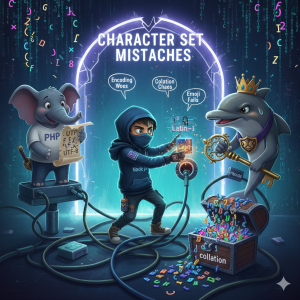
We’ve all been there—maintaining a legacy system that’s grown organically over the years. This is a story about one such system, where a seemingly simple issue with emoji support revealed a fascinating charset mismatch between two applications talking to the same database.
The Setup
Picture this: a legacy infrastructure with two applications sharing a massive MySQL table:
- A Node.js application using the
MySQLdriver - A PHP application using
mysqli - Both connecting to a MariaDB 10.4 database
- The table in question using
latin1collation (yes, in 2025, these still exist in the wild)
Everything was running smoothly until emojis entered the picture. 🎭
The Problem
Arabic characters worked perfectly in both applications. But emojis? They worked fine in the PHP application but broke completely in the Node.js application. Even after adding a cast to UTF-8 in the Node.js queries:
CONVERT(CAST(file_path as BINARY) USING utf8)
The emojis still wouldn’t cooperate. Why?
The Root Cause
The answer lies in how each application handles character set encoding at the connection level.
PHP’s “Happy Accident”
The PHP MySQLnd extension has an interesting default behavior: it always assumes the server’s default charset, which defaults to latin1 for MariaDB versions ≤ 10.5.3 and MySQL ≤ 8.0.
Now here’s where it gets counterintuitive—emojis “worked” in PHP not because latin1 properly supports them (it doesn’t), but because of how latin1 handles bytes. Since latin1 is a single-byte character set, it stores emoji bytes sequentially without interpretation. When the PHP service reads the data back, those bytes are retrieved unchanged. Whether they display correctly depends entirely on the application layer treating them as UTF-8—essentially, the database becomes a transparent byte storage mechanism.
Node.js’s Charset Strictness
The Node.js mysql library, on the other hand, defaults to UTF8_GENERAL_CI charset. This seems reasonable at first glance, but there’s a critical detail: in MySQL/MariaDB, utf8 is actually an alias for utf8mb3, a 3-byte subset of UTF-8.
Emojis, being 4-byte characters, cannot be represented in utf8mb3. This is why the Node.js application was breaking—it was trying to handle 4-byte emoji data through a connection configured for a maximum of 3 bytes per character.
Understanding UTF-8 in MySQL: The utf8 vs utf8mb4 Confusion
This is where MySQL’s naming convention becomes a source of confusion for many developers. Let me break it down:
utf8(orutf8mb3): A 3-byte encoding that covers the Basic Multilingual Plane (BMP). It can handle most common characters but fails with emojis, some mathematical symbols, and less common CJK characters.utf8mb4: A proper 4-byte UTF-8 implementation that supports the full Unicode character set, including emojis and other supplementary characters.
When MySQL originally implemented UTF-8 support, they limited it to 3 bytes for performance reasons. Later, when full 4-byte support was needed, they couldn’t simply change utf8 (it would break existing databases), so they introduced utf8mb4 as a separate charset.
To address this confusion, recent versions of MySQL and MariaDB have started using utf8mb3 as the explicit name for the 3-byte variant, making the limitation more obvious.
Alternative Solutions (and Why They Weren’t Ideal)
There were technically two other ways to solve this:
Option 1: Change the Node.js connection charset to utf8mb4
javascript
const connection = mysql.createConnection({
  charset: 'utf8mb4'
});
Option 2: Change the query cast to use utf8mb4 instead of utf8
CONVERT(CAST(file_path as BINARY) USING utf8mb4)
However, implementing either of these would create even more mismatched behavior between the PHP and Node.js applications. The PHP application would continue using its latin1 connection while Node.js would be using utf8mb4, potentially leading to different data interpretation and harder-to-debug inconsistencies down the line.
The Pragmatic Solution
The fix was surprisingly simple: change the Node.js connection charset to latin1 and remove the query cast entirely.
const connection = mysql.createConnection({
  host: 'localhost',
  user: 'user',
  password: 'password',
  database: 'database',
  charset: 'latin1'  // Match PHP's behavior
});
This made both applications behave identically—treating the database as transparent byte storage and handling UTF-8 encoding at the application layer.
The Caveats
This solution isn’t without its drawbacks. Using non-latin1 characters in a database with latin1 collation can cause partial search problems. For example:
- Case-insensitive searches may not work correctly for non-ASCII characters
- String comparisons might produce unexpected results
- Sorting operations won’t respect proper Unicode collation rules
- LIKE queries with Unicode characters may behave unpredictably
The Ideal Solution (That We Couldn’t Implement)
Let’s be clear: the proper solution would be to migrate the table to utf8mb4. This would provide:
- Proper Unicode support across all applications
- Correct sorting and comparison operations
- No encoding workarounds needed
- Future-proof character support
However, when you’re dealing with a super massive table used by multiple systems in a deeply entrenched legacy environment, such a migration isn’t always feasible in the short term. The downtime, testing requirements, and risk of breaking other dependent systems made this option impossible at that moment.
Lessons Learned
- Character set mismatches are sneaky: They often work “well enough” until edge cases like emojis expose the underlying problems.
- Understand your defaults: Both the PHP MySQLnd and Node.js mysql libraries have charset defaults that may not match your database configuration.
- MySQL’s
utf8is not UTF-8: Always useutf8mb4for new projects or when migrating legacy systems. - Sometimes consistency trumps correctness: In legacy systems, matching suboptimal behavior across applications can be more pragmatic than partially fixing the problem.
- Technical debt compounds: That
latin1table probably seemed fine when it was created, but years later, it’s causing encoding headaches.
Conclusion
Legacy systems are full of these small battles between ideal solutions and practical realities. While we’d all love to immediately migrate to utf8mb4 and do things “the right way,” sometimes the most responsible solution is the one that maintains consistency and buys time for a proper migration later.
Have you encountered similar charset issues in your legacy systems? The comment section is open—share your war stories! 💬
 Always Learning...
Leave a comment